Help:Contributing/diagrams: Difference between revisions
math see-also wording: inline LaTeX ($…) + KaTeX snippets (via update-page on MediaWiki MCP Server) |
|||
| Line 129: | Line 129: | ||
* [[Help:Contributing]] — contributing to this wiki | * [[Help:Contributing]] — contributing to this wiki | ||
* [[Help:Contributing/math]] — LaTeX | * [[Help:Contributing/math]] — inline LaTeX math ($…) and KaTeX snippets | ||
* [[Help:Contributing/code]] — code blocks and syntax highlighting | * [[Help:Contributing/code]] — code blocks and syntax highlighting | ||
Latest revision as of 15:19, 4 September 2026
RonzzWikiBase has the Diagrams extension installed (vendored v1.0.0). Therefore, you can create diagrams directly with in the page via PlantUML/GraphViz/Mscgen/Mermaid snippets.
| Tag | What it renders | Where it renders |
|---|---|---|
<uml> |
PlantUML (sequence, class, state, activity, component, …) | server-side, cached image |
<graphviz> |
GraphViz (dot, neato, fdp, sfdp, circo, twopi, osage) | server-side, cached image |
<mscgen> |
Message sequence charts | server-side, cached image |
<mermaid> |
Mermaid (flowchart, sequence, ER, Gantt, …) | in your browser |
PlantUML
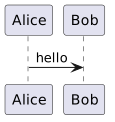
<uml type="uml">
Alice -> Bob: hello
</uml>
Result:
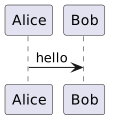
You can optional write out the usual @startuml/@enduml directives (it is added automatically when you don't):
<uml>
@startuml
Alice -> Bob: hello
@enduml
</uml>
The bundled PlantUML stdlib is available (!include <C4/C4_Context> and friends).
PlantUML runs in its SANDBOX security profile on this instance:
!includeof local files and URLs is disabled. Diagrams can use the bundled stdlib but must be otherwise self-contained.
GraphViz
<graphviz renderer="dot">
digraph g { A -> B -> C }
</graphviz>
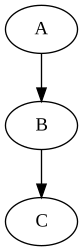
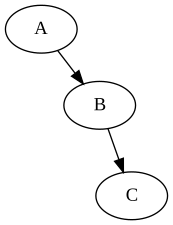
Different renderer engines provide different layouts:
| Renderer | Rendered graph |
|---|---|
dot (default if "renderer" omitted) |
|
neato |
 |
fdp |
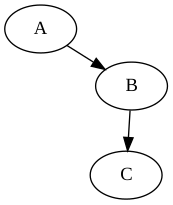 |
sfdp |
 |
circo |
 |
twopi |
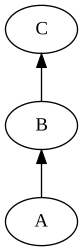 |
osage |
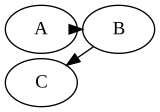 |
Mscgen
<mscgen>
msc { A, B; A -> B [ label="hello" ]; }
</mscgen>

Mermaid
<mermaid>
graph LR
  A --> B
</mermaid>
Mermaid renders in your browser (JavaScript): the diagram is empty in printed/static export. Use other options above for print-friendly diagrams.
Output format
The default output is SVG (crisp, small). Force PNG per diagram with format="png":
<uml type="uml" format="png">
Alice -> Bob: hello
</uml>
See also
- Help:Contributing — contributing to this wiki
- Help:Contributing/math — inline LaTeX math ($…) and KaTeX snippets
- Help:Contributing/code — code blocks and syntax highlighting